How to Manage Clones in Clone to Steal Eggs
Upgrade the portal, set zone targets your Speed can clear, and auto-sell junk eggs before they clog the pen.
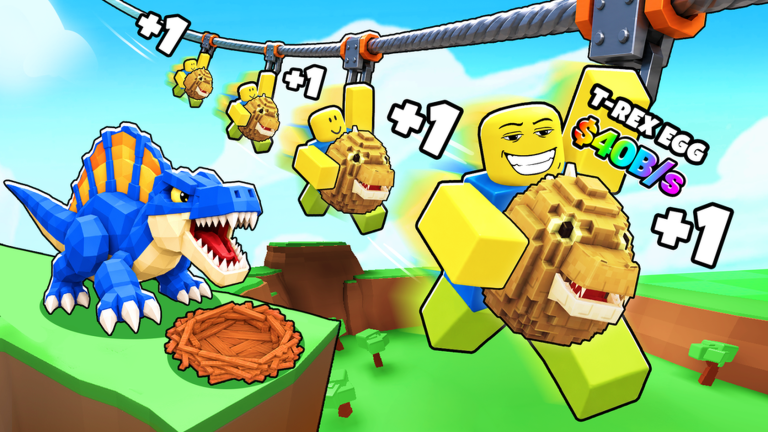
Clones are the headline mechanic that separates Clone to Steal Eggs from classic run-and-grab egg games. Instead of personally sprinting every nest, you open Manage Clones, point workers at a zone, and let the portal keep spawning helpers while you train Speed or adjust the economy. Players who misunderstand this panel waste Cash on the wrong upgrades or park clones on zones their Speed cannot clear. This guide explains every lever inside Manage Clones and how it connects to treadmills, pets, and rebirths.
Open the Manage Clones panel
Look for the Manage Clones control along the top of the HUD. Inside you will find:
- Portal upgrade buttons (summon speed, clone count, steal charges)
- Zone / area target selectors
- Optional auto-sell rules for unwanted eggs
- Status on how many clones are active
If the button is missing, finish the short tutorial prompts, then rejoin. New sessions sometimes hide menus until the plot loads.
The three portal upgrades that matter
1. Summoning speed
Raises how quickly the portal produces the next clone. Early on this feels minor; once you own several clones it becomes the difference between a busy lane and idle downtime. Buy summon speed whenever the cost is less than roughly a minute of current Cash income.
2. Maximum clones
Increases how many clones can work at once. This is usually the highest priority after your first treadmill upgrade and Magia Yeti placement from the codes hub. More clones mean more eggs per minute if the target zone is valid.
3. Steal charges / steal count
Raises how many successful steals each clone (or the portal cycle) can attempt before needing a refresh. Under-investing here makes a big clone army look busy while returning fewer eggs than a smaller, fully charged squad.
Spend in the order clone count → summon speed → steal charges unless one upgrade is dramatically cheaper than the others.
Zone targeting and Speed gates
Every area has a predetermined Speed rating. Your Speed stat must meet or beat that gate or clones fail steals and waste time. That is why AFK treadmill training still matters in a clone-first game — see train Speed.
Targeting rules of thumb
- Start on the earliest zones until Magia Yeti and a second clone are online.
- Raise the target one tier at a time after a treadmill purchase or Train Potion session.
- If success rate tanks, drop the target immediately instead of buying more clones.
- Manual steals remain useful when you want a specific pet the auto target keeps missing.
Community script filters list areas from Starter through late Rift-style zones with roughly two dozen egg names and many rarity tiers. You do not need scripts to play — the same area list appears in Manage Clones for manual targeting. Optional automation notes live on the scripts hub.
Auto-sell filters
Manage Clones lets you automatically sell certain eggs so only higher-value shells reach the pen. Use this once your slots are full of decent pets:
- Sell Commons from early zones when mid-zone Uncommons are flowing
- Keep any egg with a promising mutation tag even if the base rarity looks low
- Recheck filters after Saturday updates when new eggs enter the pool — see updates
Pair auto-sell with the pet tier list so you never dump a sleeper earner.
How clones interact with the rest of the economy
- Pets fund the portal. Without Cash/s from the pets hub overview, clone upgrades stall.
- Base multipliers amplify hatch value. Buy the signboard upgrades near your plot entrance between portal buys.
- Rebirth multiplies the Cash clones indirectly create. After a big clone spike, check the rebirth guide — the cost may now be trivial.
- Battle pass quests often track steals or hatches; clones help finish them while you AFK train.
Practical clone session checklist
- Redeem codes and equip Yeti (codes).
- Confirm treadmill tier is not still the free starter (Getting Started).
- Open Manage Clones → buy the cheapest high-impact portal upgrade.
- Set target to the highest zone your Speed clears consistently.
- Enable auto-sell for clearly obsolete eggs.
- Stand on the treadmill; let clones work for several minutes.
- Hatch, replace weak pets, consider rebirth, repeat.
Mistakes that stall clone progress
- Targeting Dragon-tier zones at Starter Speed
- Maxing trails before clone count
- Leaving auto-sell off until the pen is full of junk
- Ignoring steal charges so many clones return empty-handed
- Forgetting to hatch gestating eggs while watching the treadmill
Treat Manage Clones as your main production dashboard. When portal upgrades, Speed, and pet income move together, Clone to Steal Eggs stops feeling idle and starts feeling like a sharp tycoon.
Frequently Asked Questions
Quick answers to the most common questions.
Where is Manage Clones?
On the top of the HUD. Open it to buy portal upgrades and set zone targets.
Why do my clones fail to steal?
Usually your Speed is below the zone gate. Train more or target an easier area.
What clone upgrade should I buy first?
Raise maximum clones first, then summon speed, then steal charges, unless one option is far cheaper.
Should I auto-sell eggs?
Yes once your pen has solid pets. Auto-sell Commons from early zones so better eggs take the slots.
Do clones replace manual stealing forever?
Mostly, but manual runs still help when you want a specific egg clones keep skipping.